Triangulation
Automatically linked workflows which feed data, reports, graphs and Reg 40s. One incident log opens its PI record, Missing form, debriefs and manager analysis — all connected, all counted once.
Fleury Care System is the system for children's residential homes in England. Staff record what happened once. Fleury Care System links it to everything it belongs to — the young person's file, the manager's dashboard, the graphs, the Reg 40, the Quality Standards and the inspection pack — and chases every follow-up until the loop is closed.
Linked workflows automatically feed data, reports, graphs and Reg 40s
Dedicated section — evidence built and linked to Ofsted's key lines of enquiry
Summaries before meetings; date-ranged analysis for monthly and Reg 45 reports; themes and risk
Instant — bulk, build-your-own, focus areas, keywork, themes, risk; close the loop
Evidence placed as you go · inspection pack exported in seconds
Care recording, HR & Schedule 2, rota, training, messaging, young person app, piggy bank
One fee for your home's size, not per user · unlimited staff accounts · UK-hosted · built-in AI optional
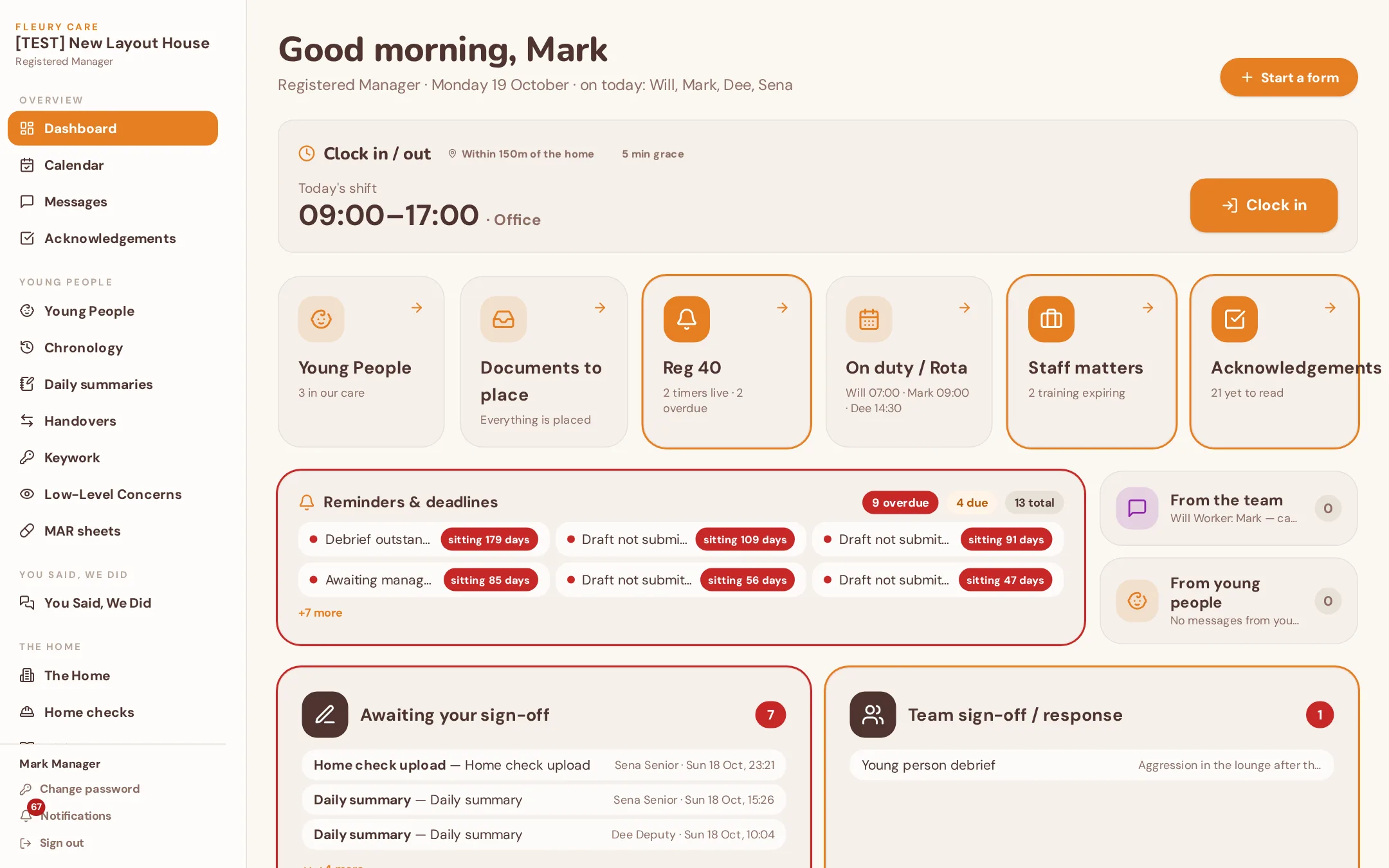
Every form a member of staff signs off becomes one record that automatically feeds the young person's file, the manager's oversight, the graphs, the Regulation 40 evidence, the Quality Standards and the inspection pack. That is triangulation — and it is why nothing is typed twice and nothing is missed.
Automatically linked workflows which feed data, reports, graphs and Reg 40s. One incident log opens its PI record, Missing form, debriefs and manager analysis — all connected, all counted once.
Enables evidence to be built and linked — satisfying key lines of enquiry from Ofsted. Every notification carries its clock, its incidents, its forms and its files.
Quick summaries before meetings; date-ranged data analysis which can be built into monthly and Reg 45 reports; tracks themes and risk. Drafts only — the manager checks and signs.
Extract instant reports and graphs tracking all data — bulk reports, build a report, focus areas, keywork, themes, risk analysis.
Reviews, analysis, reflective practice, learning and outcome on everything within the home — better outcomes for young people, simple management audits, continuous evidence for Ofsted.
Streamlining data — keyworks and low-level concerns fill themselves in from the forms.
Manage your staff in one system — built-in Schedule 2, rota, sickness, HR matters.
Assign all your evidence straight into the pre-built Quality Standards — track areas of improvement, strengths and on-going evidence building for Ofsted.
Automatically created for each young person.
Available for download and export within seconds.
Reg 44, Reg 45, Ofsted inspection, Quality Standards, weekly and monthly reports — instantly.
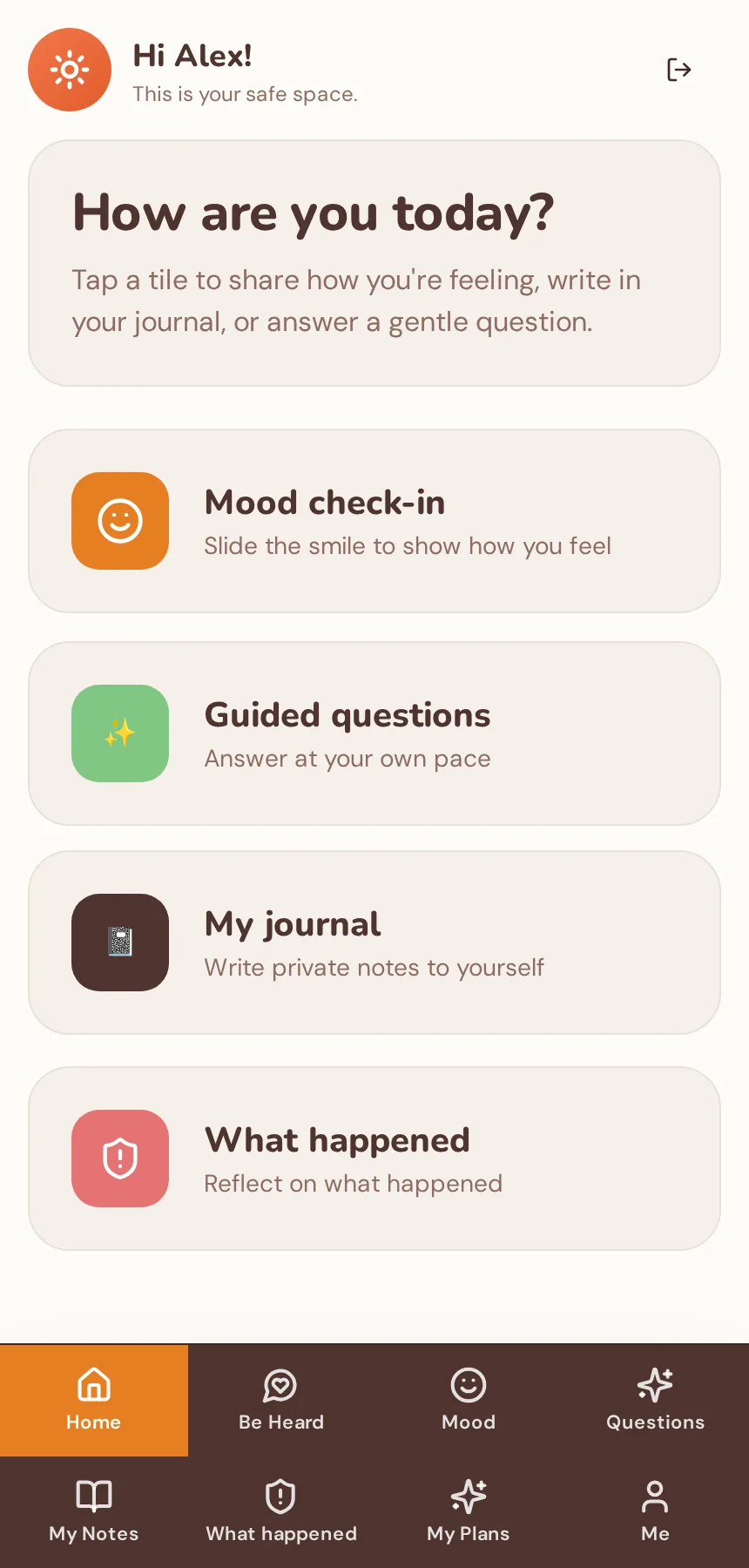
Young people and managers message one another — plus My View, for messaging, mood check-ins, a diary and their own piggy bank with savings goals.
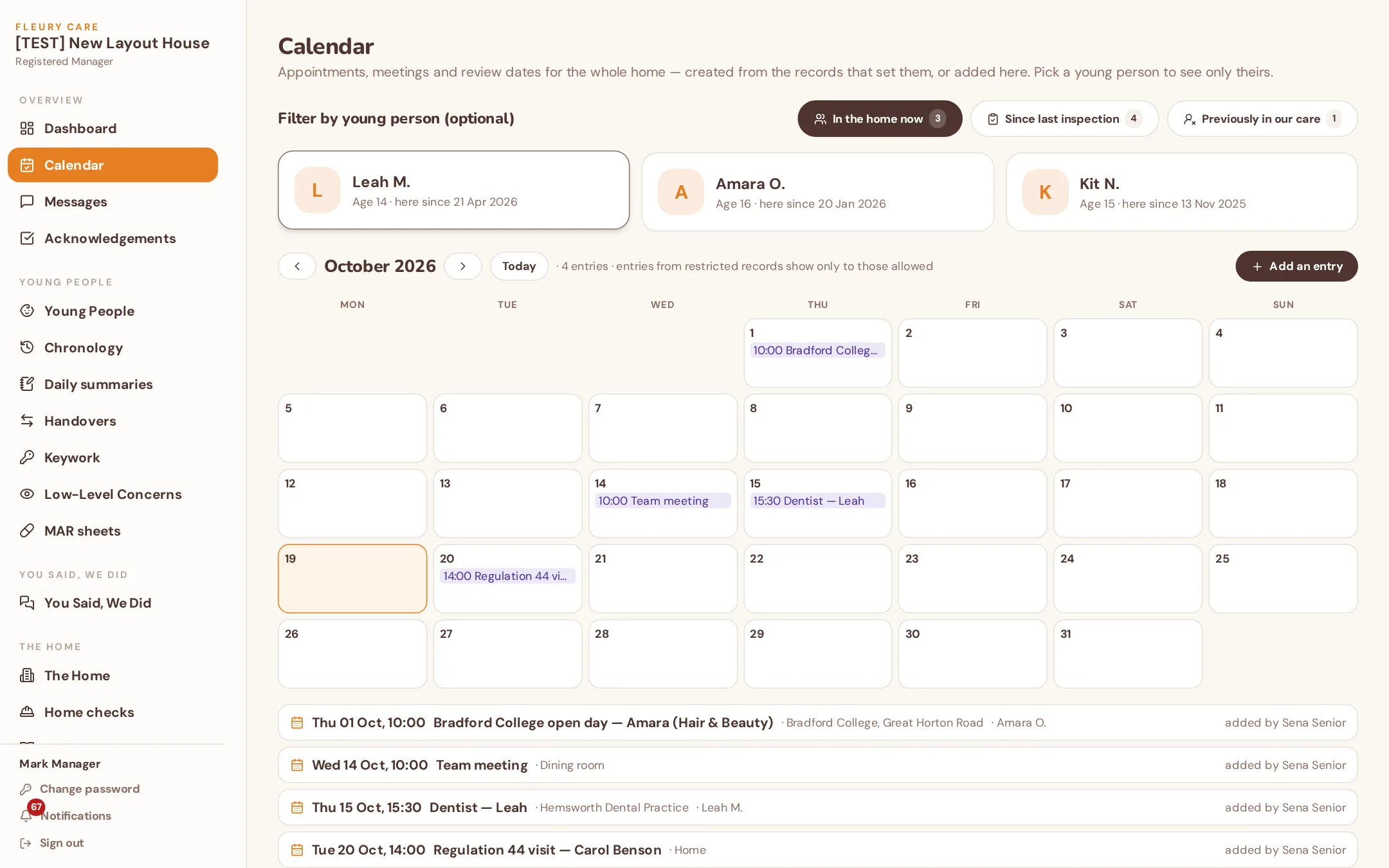
Appointments and events flow straight into your daily summaries and handovers.
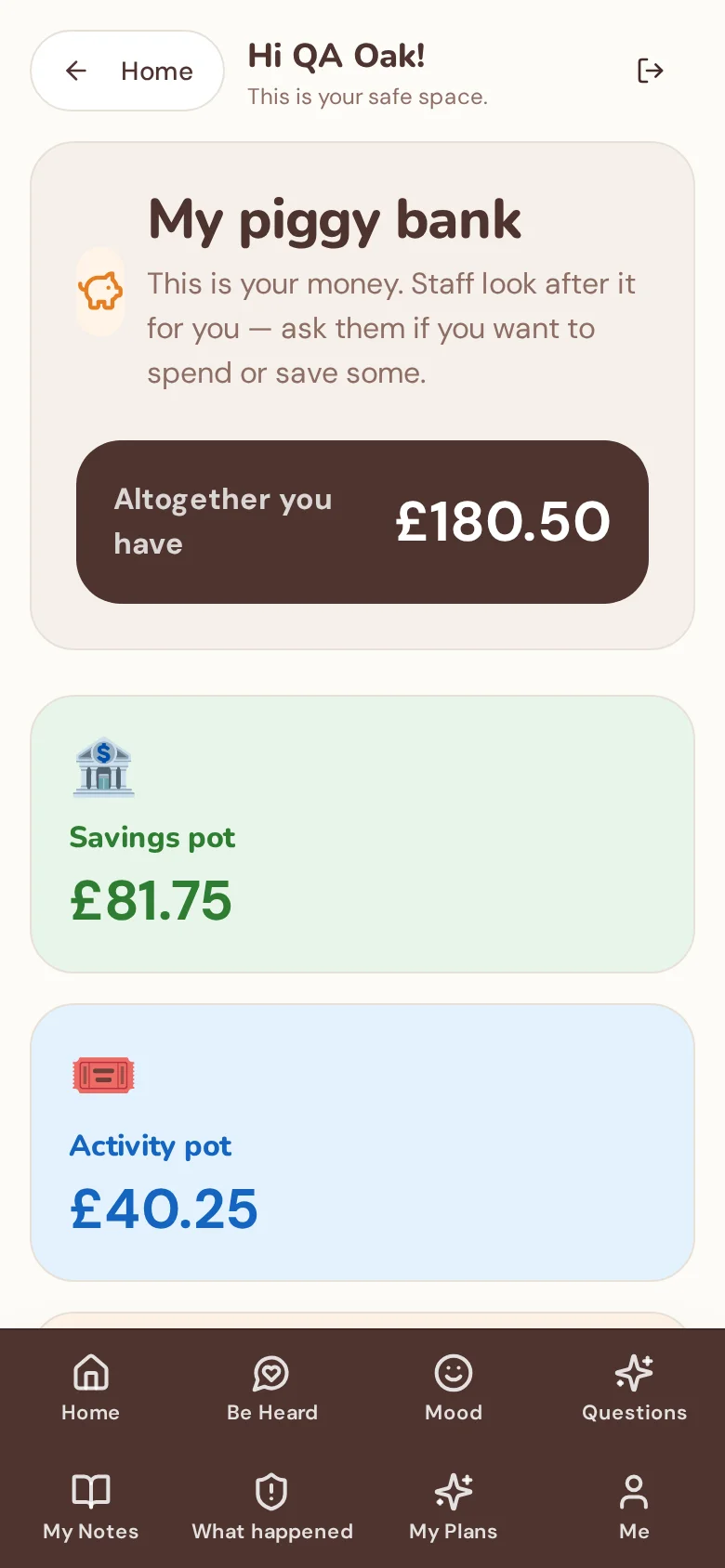
Diagrams capturing all linked documents — and all linked forms showing in one, e.g. a daily summary automatically populates all other work completed that day.
Run several homes? One read-only screen shows every home side by side — young people, sign-offs waiting, Reg 40, missing episodes and overdue reminders — always the same numbers as each home's own dashboard.
Dictate daily summaries, incidents and keywork straight into the text box on a phone, then read it back and edit before saving. Recording stays on the device; dictated words follow the same sign-off and audit as typed ones.
From support workers to Senior, Deputy and Registered Managers, the RI and read-only inspectors — enforced on every request.
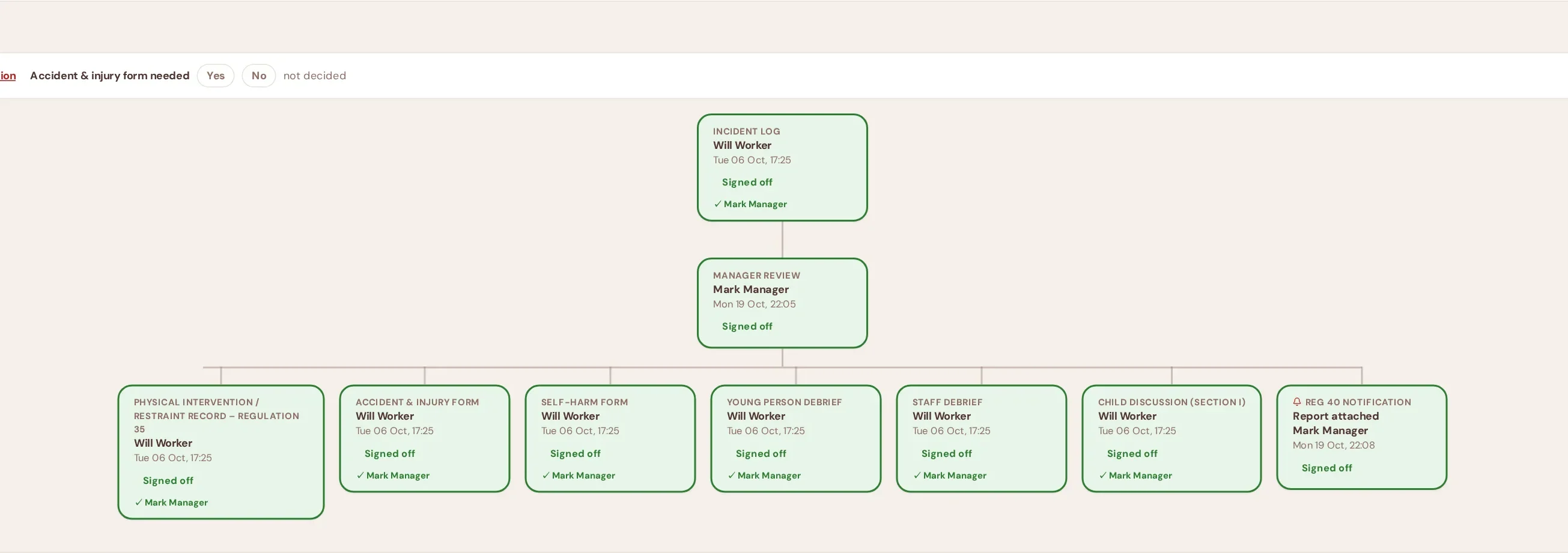
Fleury Care System is the care recording system, the HR system, the rota, the training matrix, the quality-assurance file and the reporting tool — in one place, on one price, with every part feeding the others.
Daily records, incidents, keywork, plans, risk, MAR, body maps, handovers
Staff files, DBS, references, supervision, sickness, HR matters, agency & bank
Shift planning, who's on now, clash and training-gap warnings, calendar
Certificates, expiries 60 days ahead, lapses shown on the rota
Notification clocks, independent-visitor packs, Reg 45 action plans
9 Quality Standards, management audits, close-the-loop analysis, inspection pack
Graphs, stored reports, AI summaries, bulk exports for SMT and Ofsted
Staff messaging, My View: messages, mood check-ins, diary, piggy bank & savings goals
Filing cabinet by section and month, versions, who-did-what audit trail
Children's Savings / Activity / Pocket money pots with weekly allowance; receipts read by AI; agency invoice checking
One price for the home. Unlimited staff. No modules to unlock.
Eight areas, each one taking work off managers and staff and putting evidence where inspectors look.
Incidents, missing episodes, restraints, complaints and safeguarding concerns as they happen; every overdue action ranked by how long it has waited; colour-coded so the urgent things are impossible to miss.
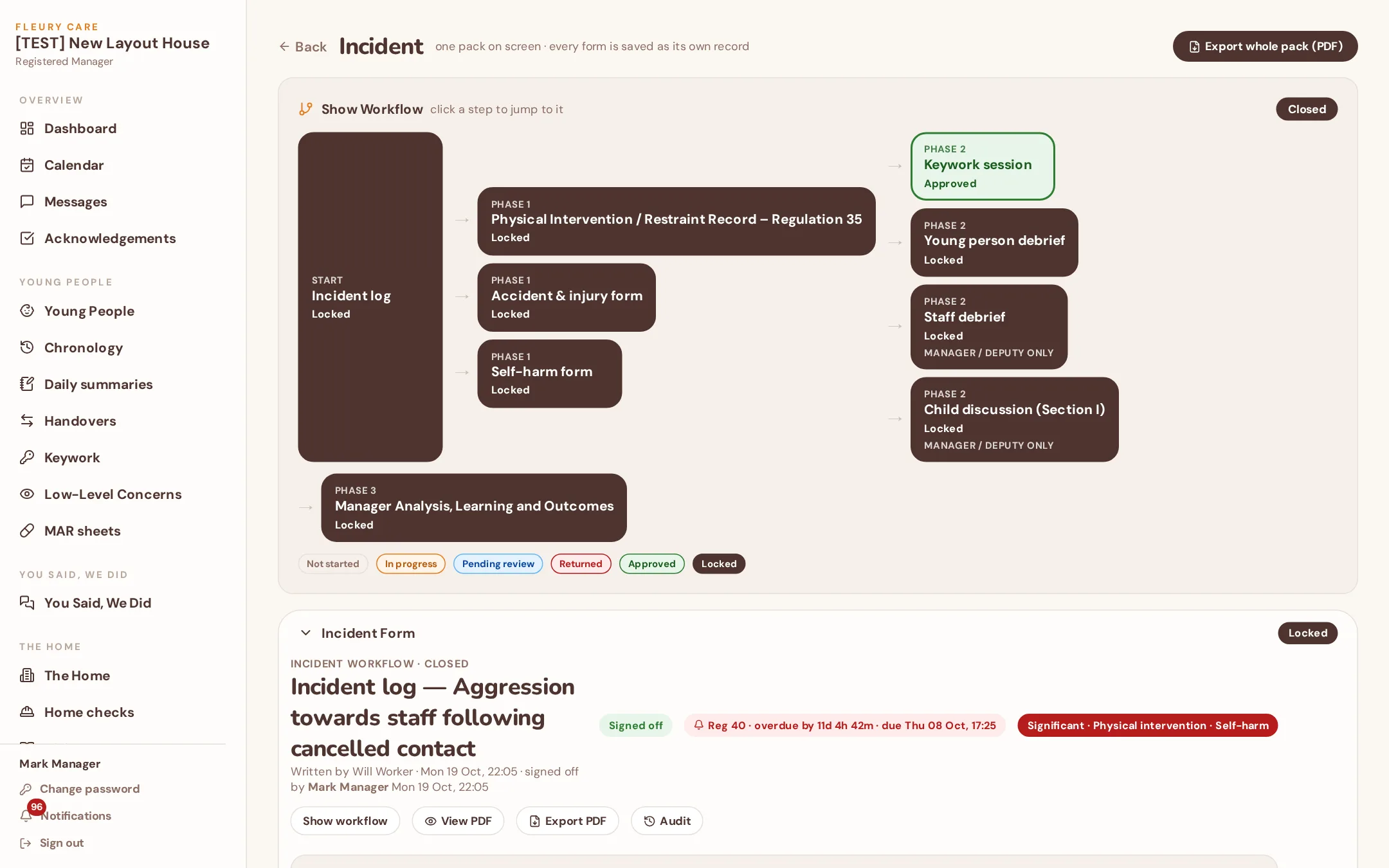
Start an incident and Fleury Care System opens exactly the forms that event needs, in three phases, with the right people and the right timescales. You can see the whole map on one screen.
Incident log plus whatever it triggers — physical intervention, missing from home, self-harm, injury, disclosure. The Reg 40 decision is taken here; the 48-hour clock has been running since the event.
Keywork session, young person's debrief, staff debrief and the child discussion — each with a due date and locked to the right level. Managers and Deputies only see the staff debrief.
Review, analysis, reflective practice, learning and outcome. Placed in a Quality Standard. The loop is closed — and the evidence is already in the chronology, the graphs and the inspection pack.
Writes the incident log on the tablet. Ticks “physical intervention: yes” and “missing: yes” — the PI record and the Missing Day 1 form open for him on the spot.
Dashboard shows the log waiting. He reads it, sets severity, signs off and answers the Reg 40 question. The clock started at 19:40 on Tuesday, not when Mark saw it.
Keywork with Kit, young person's debrief, staff debrief with Will — each nudging the right person until done.
Kit's chronology, storage, the PI graph, Standard 7 evidence, this month's report and the next inspection pack. Mark typed it zero times.
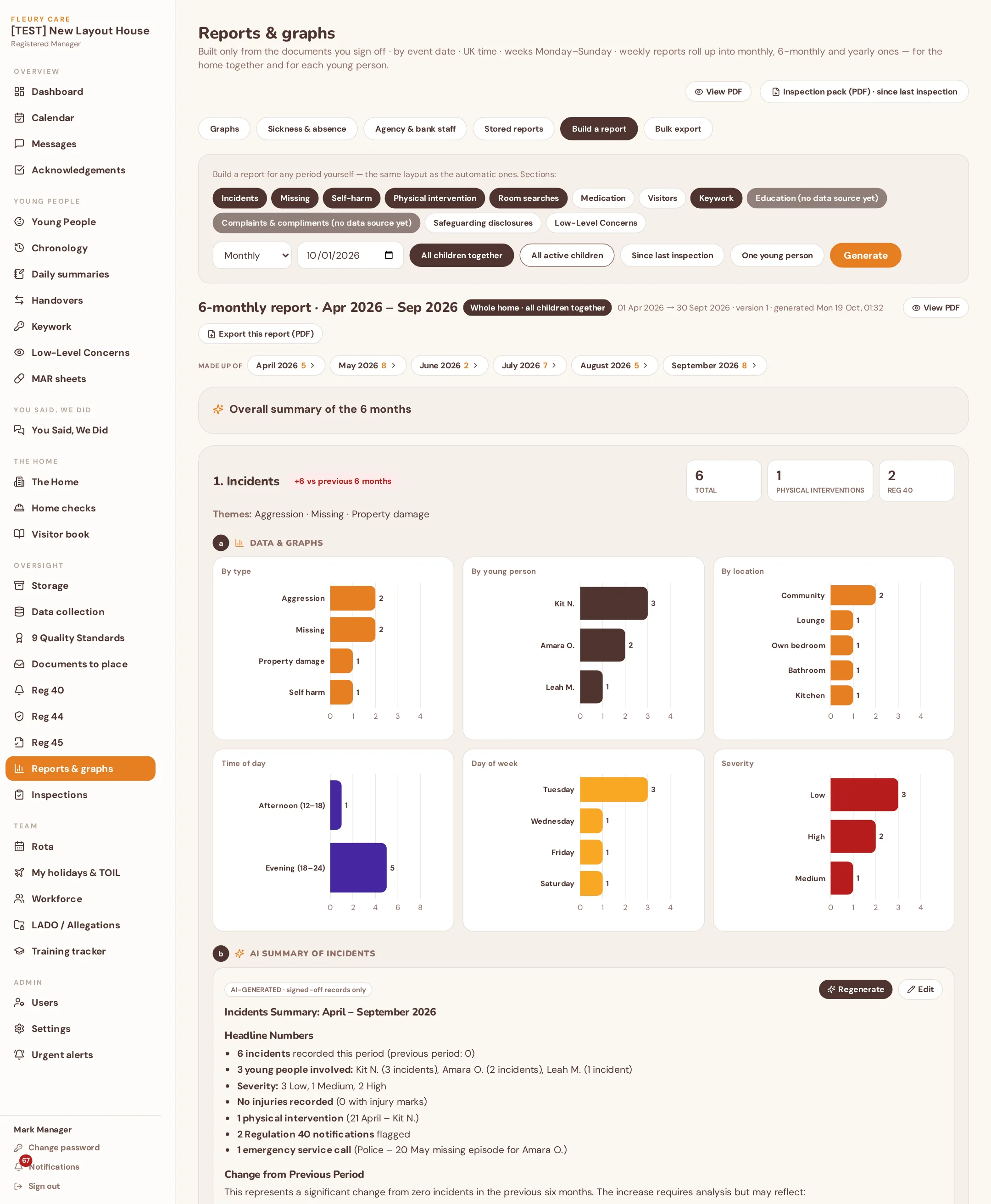
Every stored report — weekly, monthly, six-monthly, yearly, per child or whole home — is laid out the same way: the graphs, then the AI summary, then the comparison with the previous period. The AI reads only your home's signed-off records for that period. It never invents, and it never reads another home.
Everything or one event type. The whole home, one young person or one staff member. Any date range — or open a report that was generated automatically.
Counts by type, location, time of day, day of week and young person; body-map locations for injuries; medication missed; visitors and family contact.
Headline numbers and the change versus last period, themes and patterns, physical-intervention and Reg 40 points, what worked and suggested actions. Per section, or for the whole report.
The Registered Manager reads it, edits if needed and signs. Drop it straight into the monthly report, the Reg 45, a supervision or a Reg 44 visit.
“Three bullets for tonight's handover on Kit — last 7 days.” Drafted from the signed-off records in seconds.
Everything since the last review, in the tone you'd write it — ready to edit and sign. Date-ranged analysis built straight into the monthly and Reg 45 reports.
Upload the Reg 45 and the AI reads the action plan and timescales into the tracker, so the due dates follow you.
Photograph a receipt and the petty-cash line fills itself in: merchant, date, total, category.
Taken from our sample home. The young people, staff and events are invented — the software is exactly what you get.
The incident log, the forms it opened, the Phase 2 follow-ups with their due dates and the manager's analysis — all on one page, with the workflow diagram a click away.
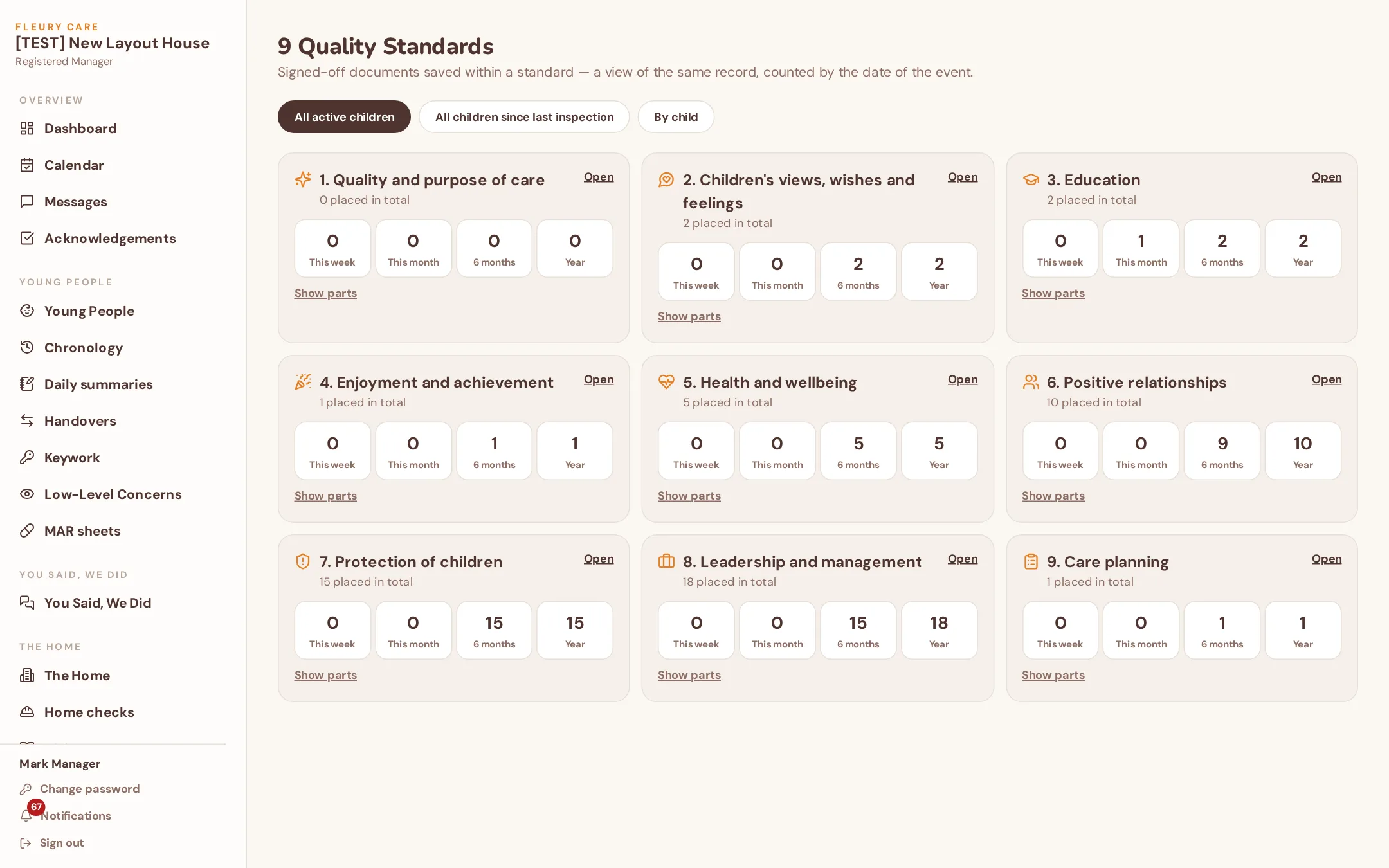
Timers running, overdue, report sent. Each notification carries its incidents, forms and files, so the evidence Ofsted asks about is already linked.
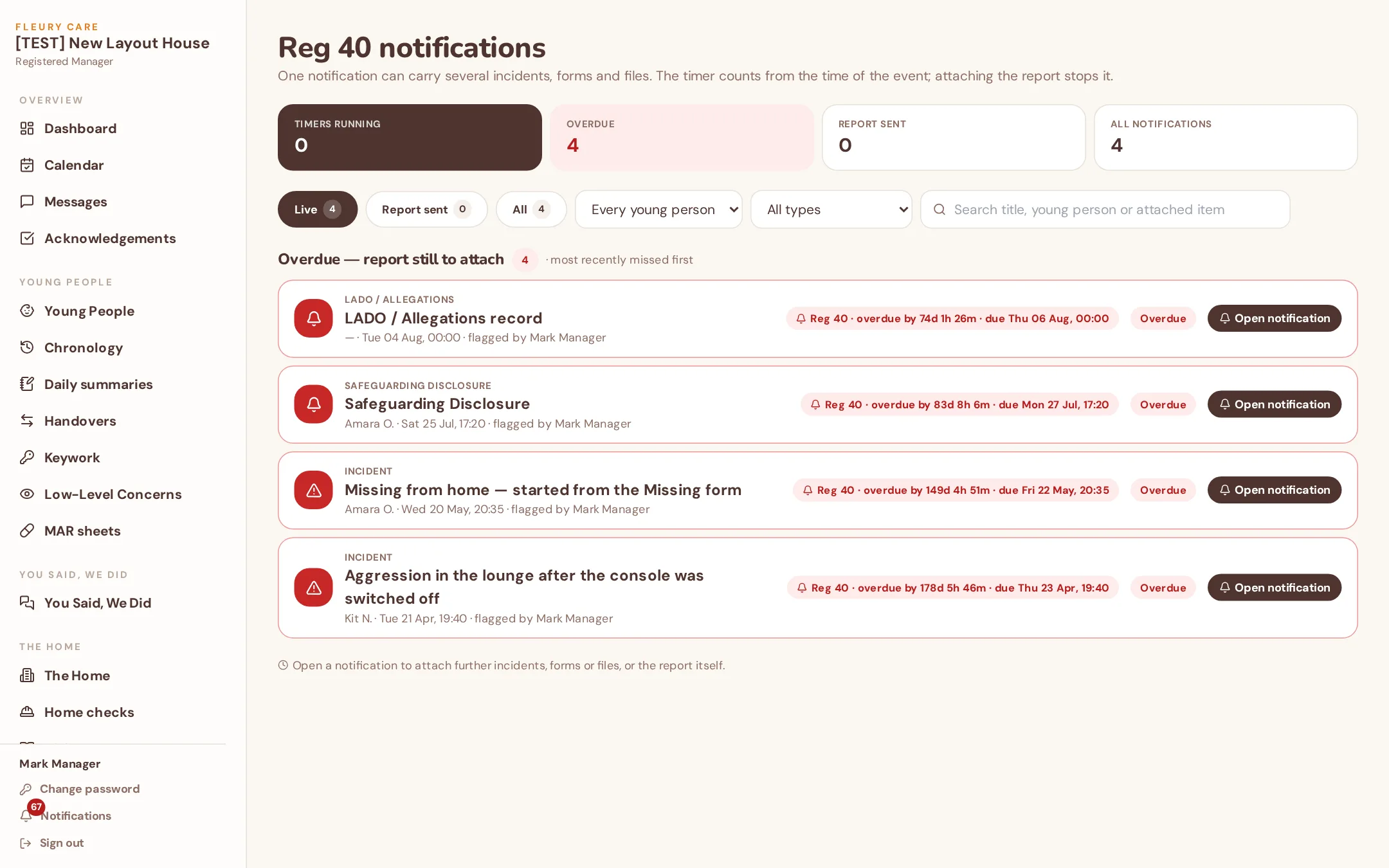
Bulk reports, build a report, focus areas, keywork, themes and risk analysis. Stored weekly, monthly, six-monthly and yearly reports build themselves.
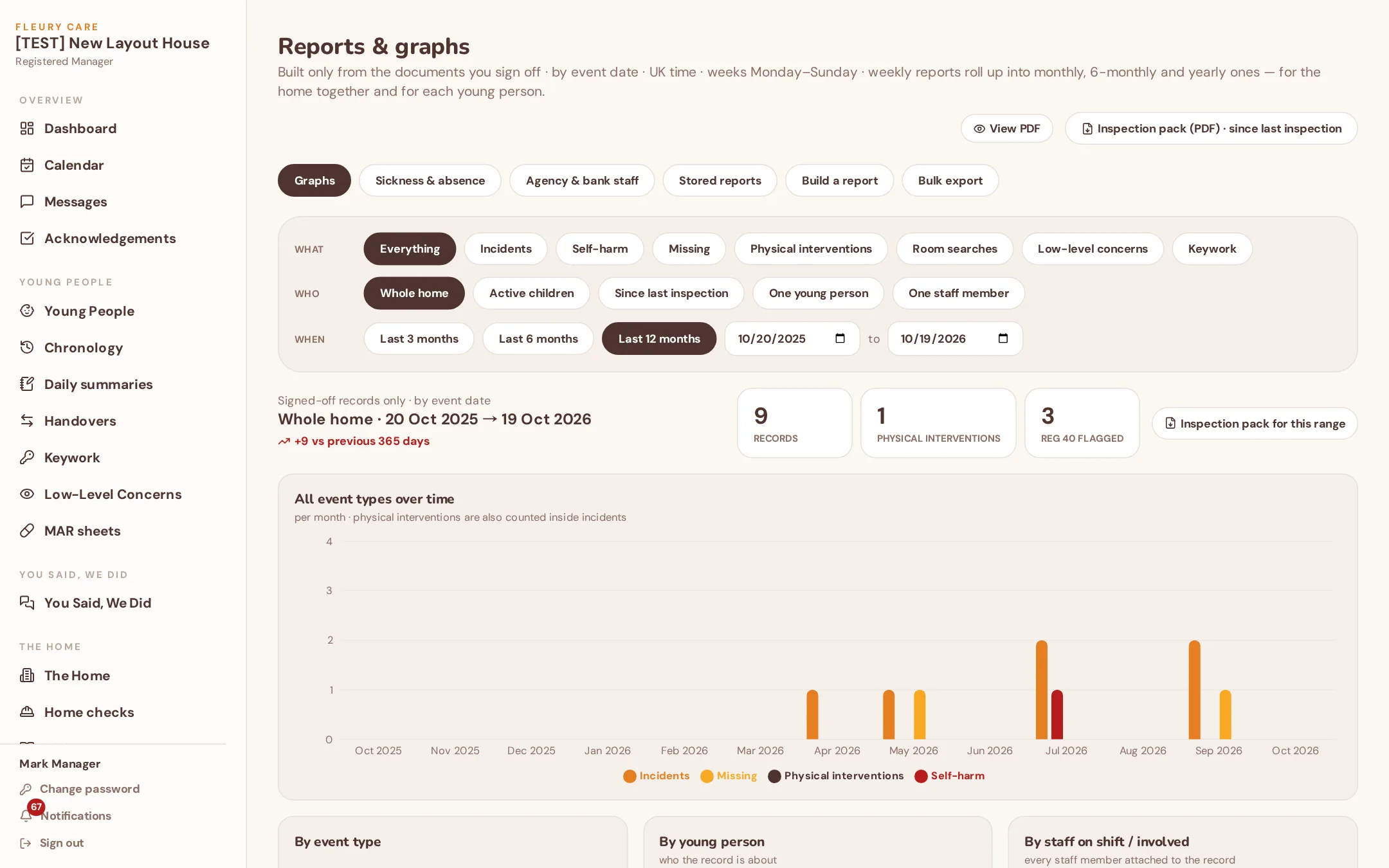
Regulations 6–14, each showing what's been placed this week, month, six months and year — for the home, since the last inspection, or one child.
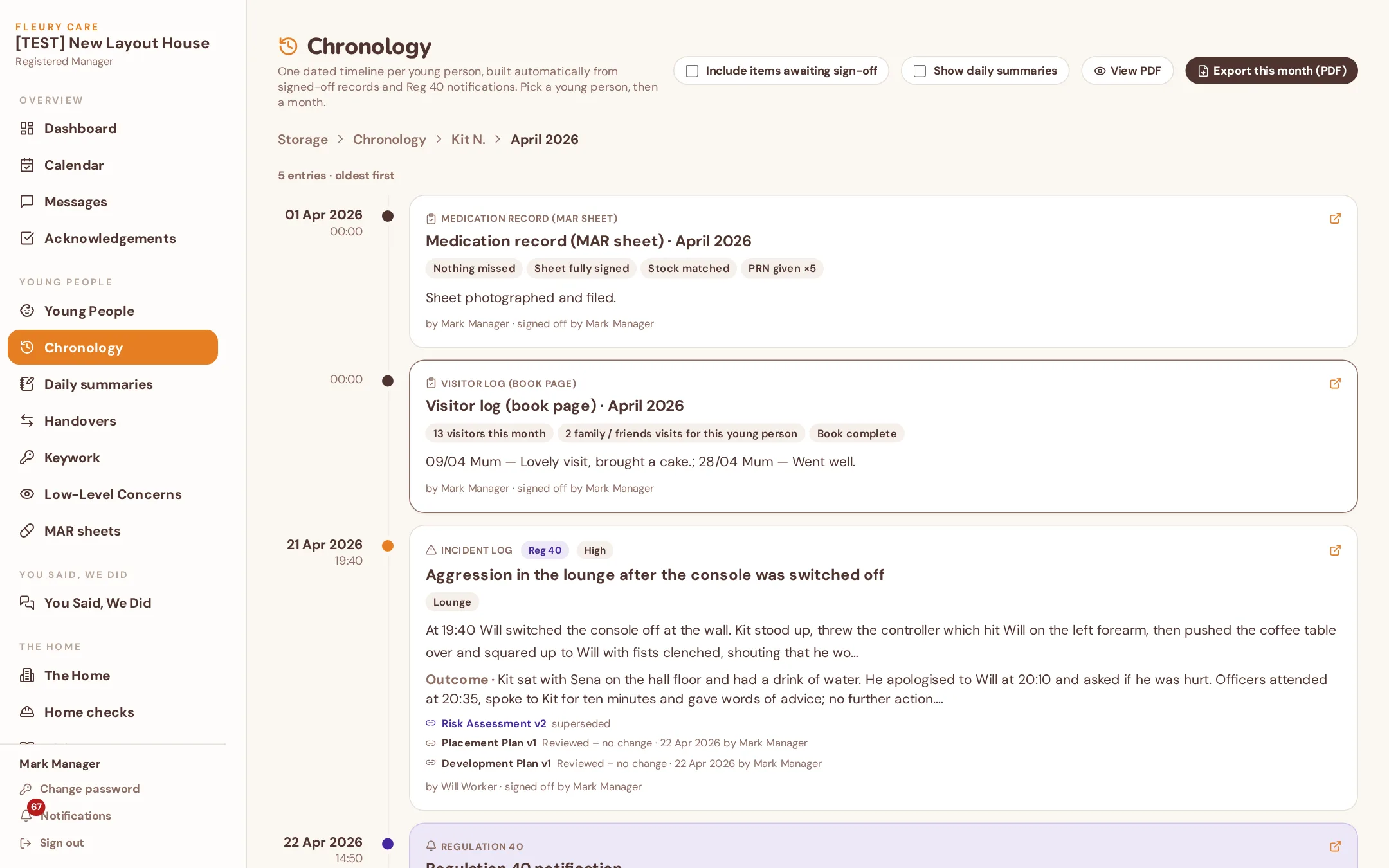
Every signed-off record lands on the young person's timeline in date order, with linked forms nested under the event. Export any range for a LAC review.
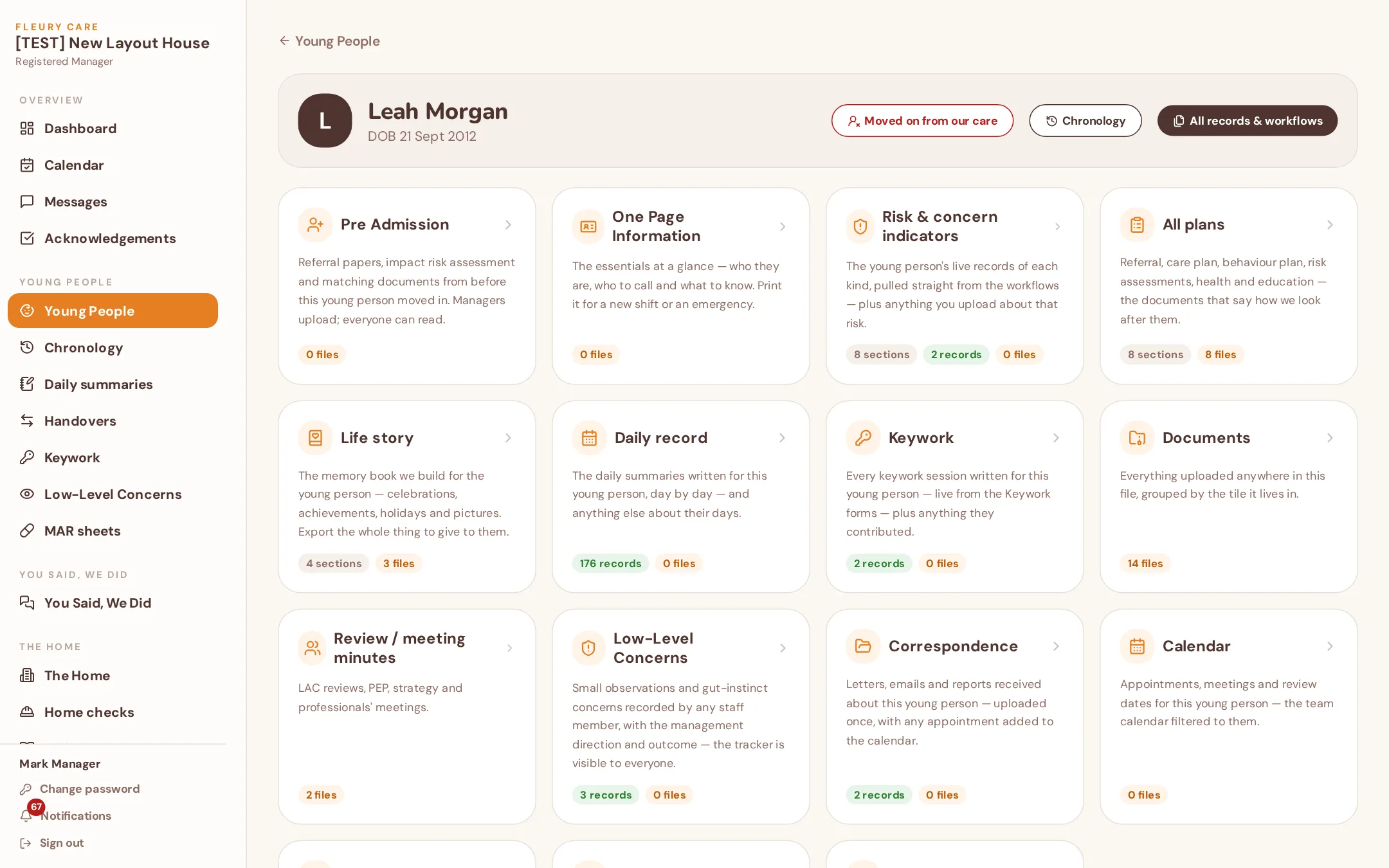
One-page profile, risk, plans, life story, daily record, keywork, documents, reviews, concerns, correspondence, calendar and You Said – We Did.
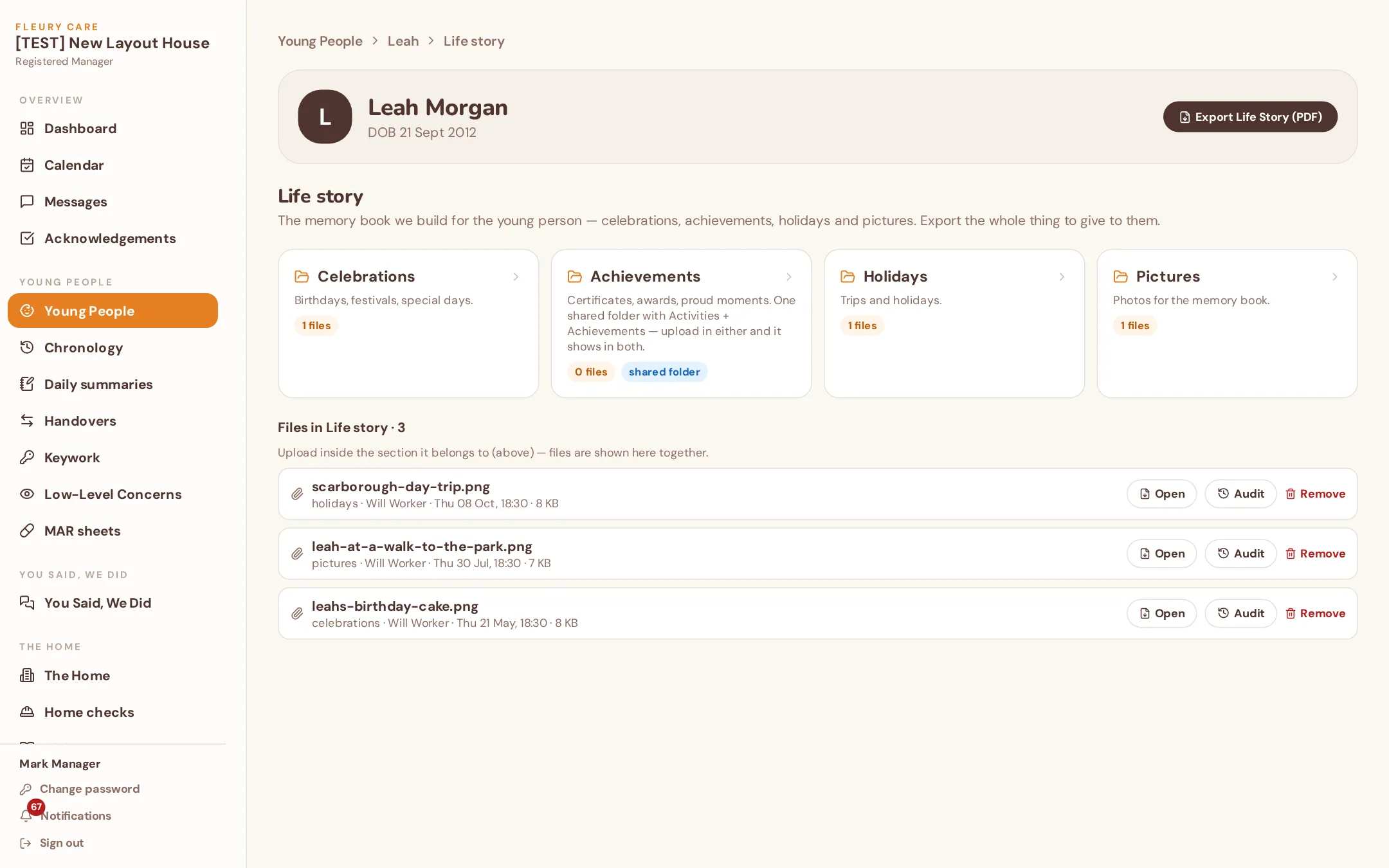
Photos, achievements and memories added as they happen. One click turns any period into a memory book the young person keeps.
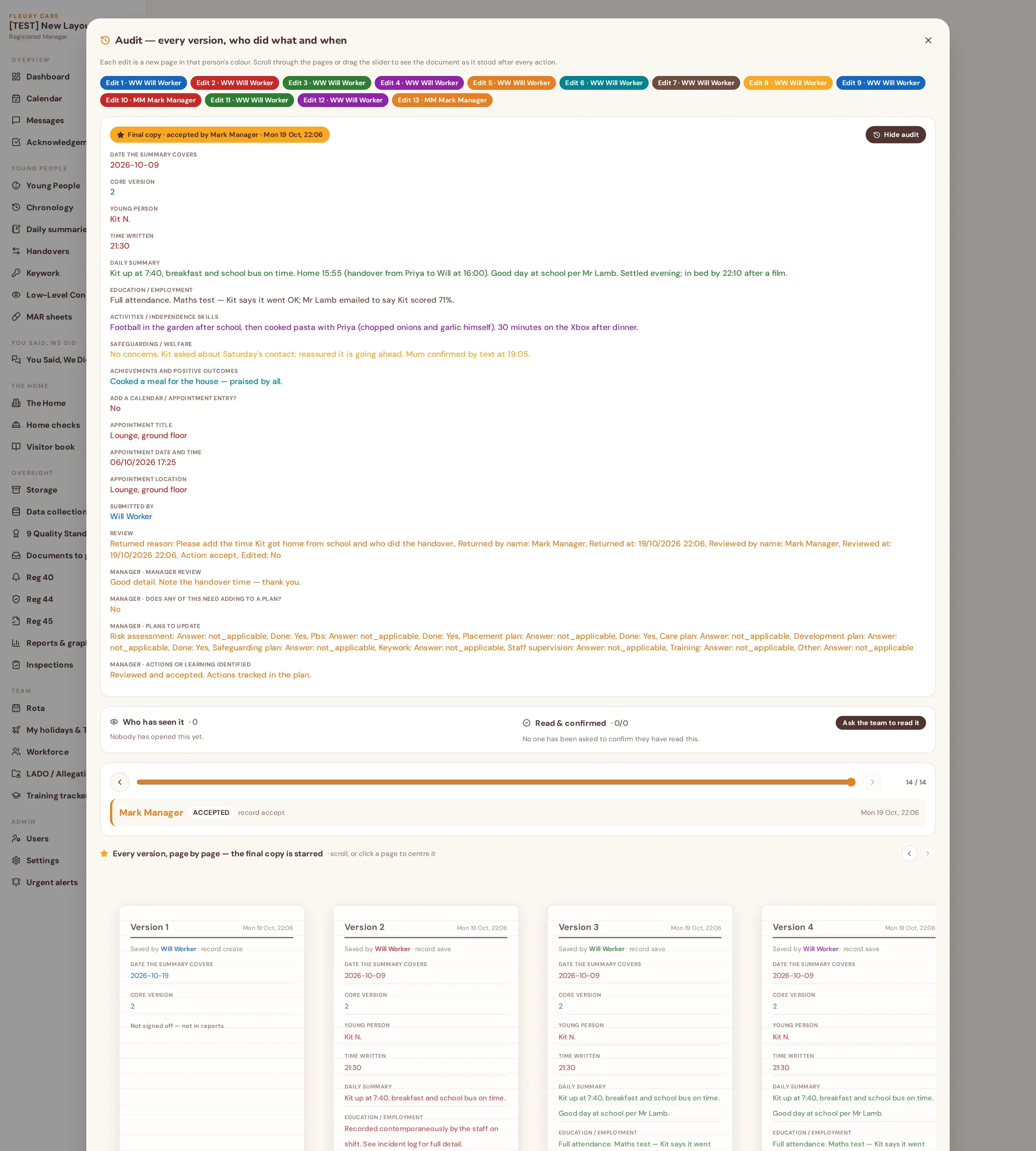
Every view, edit, sign-off and export is timestamped against a person. Investigations and quality assurance start from the record, not from memory.
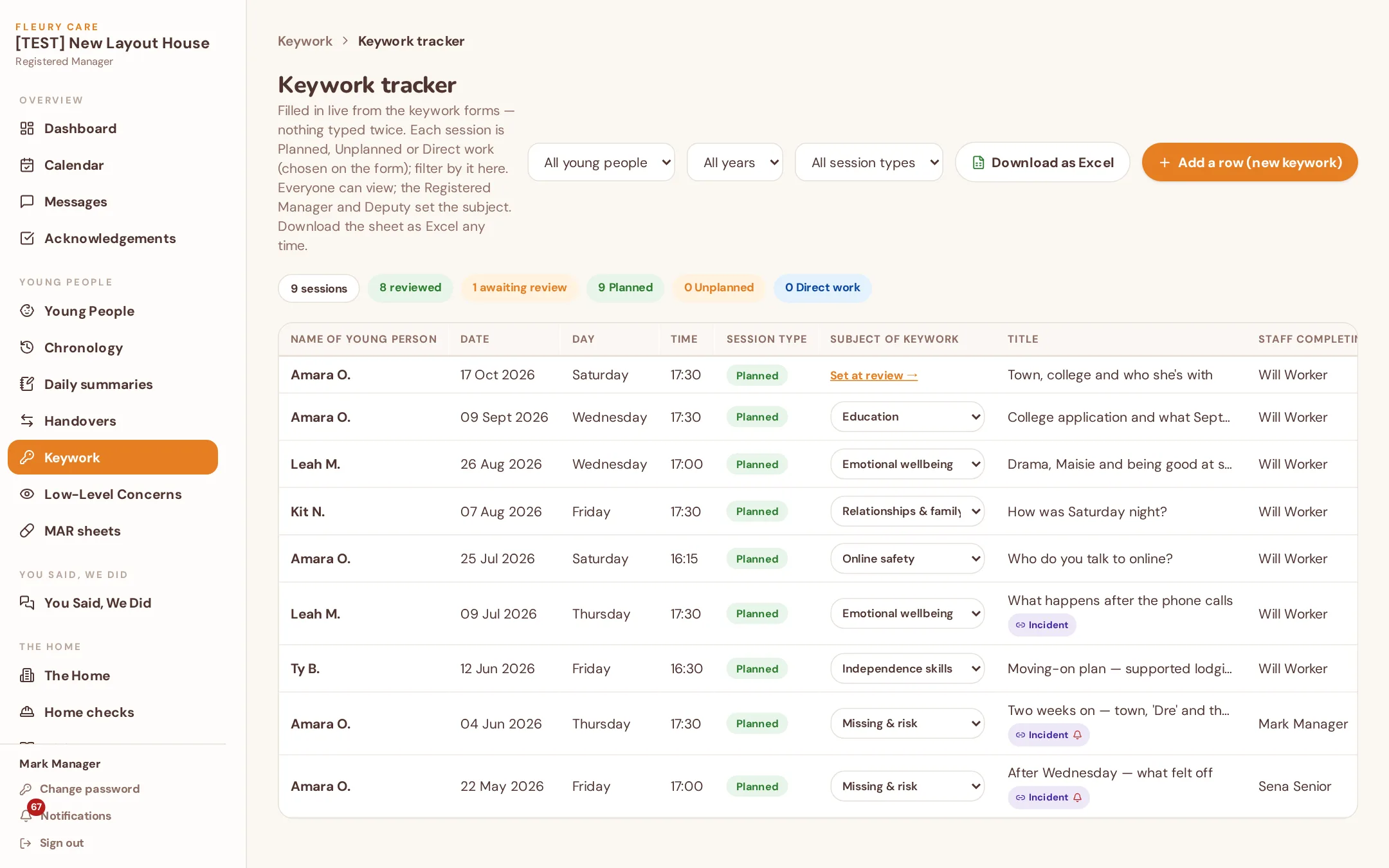
Every session and concern by young person, date, theme and worker — live from the forms, with management direction underneath. Export to Excel when asked.
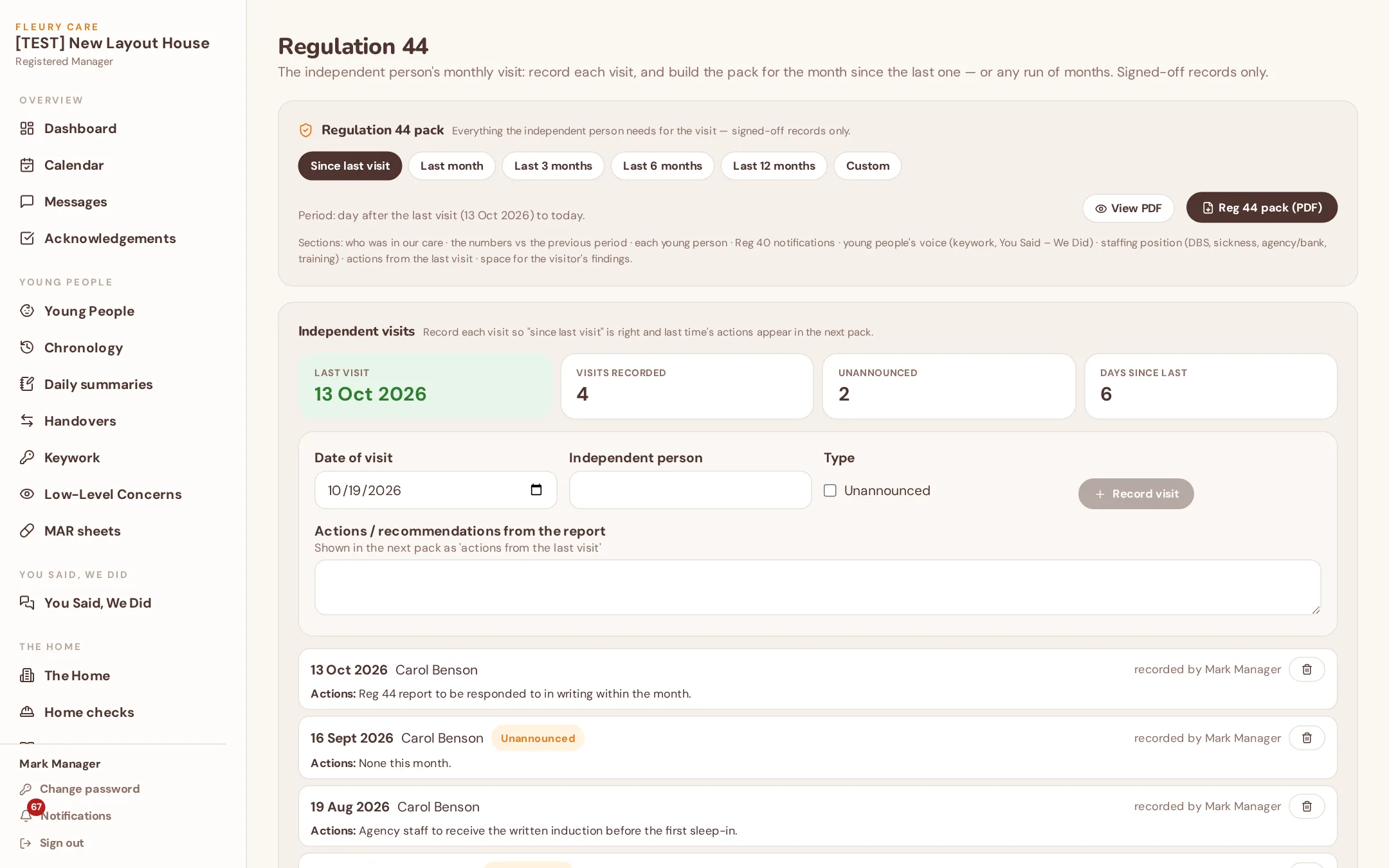
A monthly or multi-month pack for the independent visitor with comparative figures and evidence by category; Reg 45 reports with action plans, timescales and next-due dates.
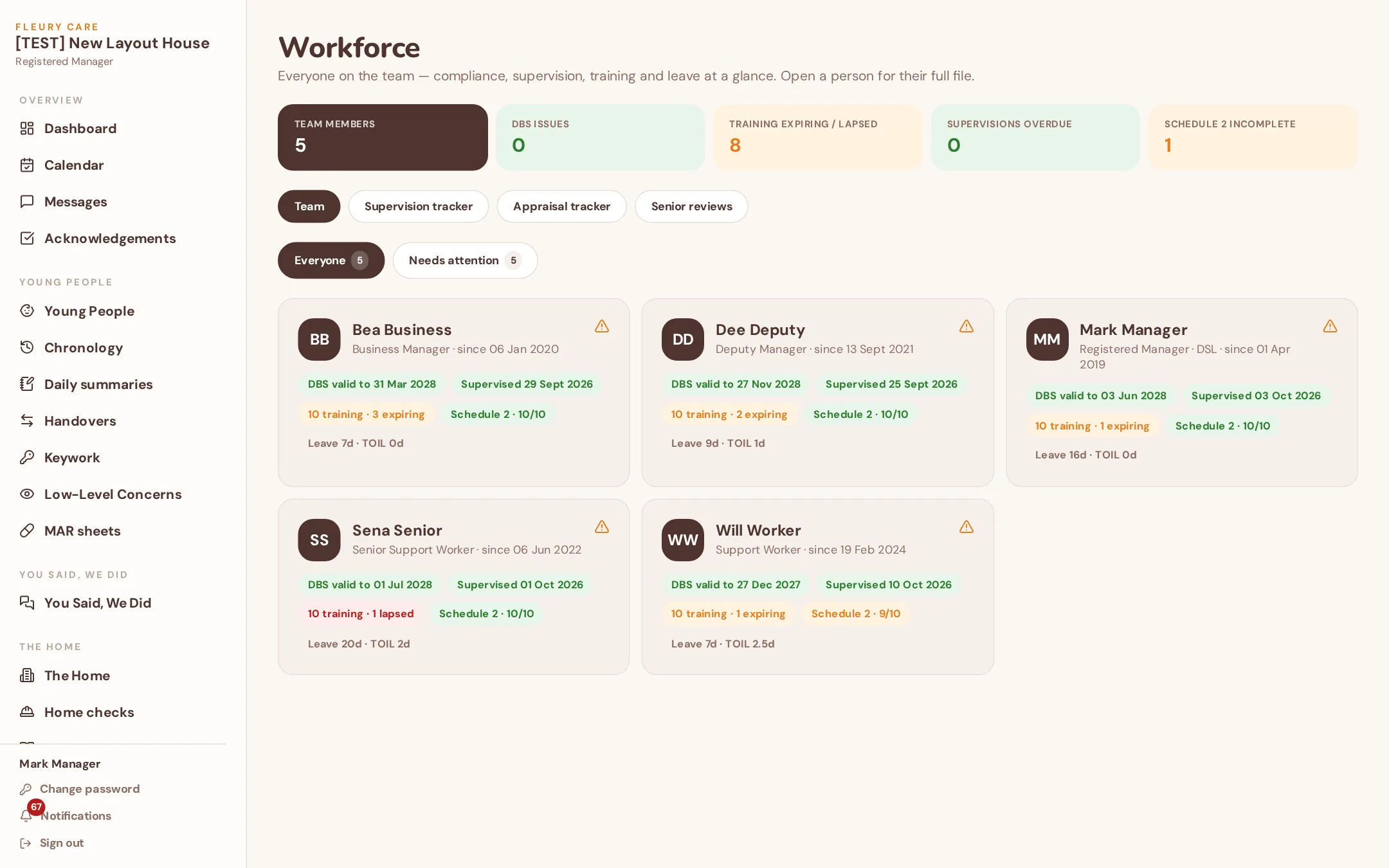
Schedule 2, DBS, supervision, training, sickness and HR for everyone; who's on shift now; agency and bank hours with costs and invoice checking.
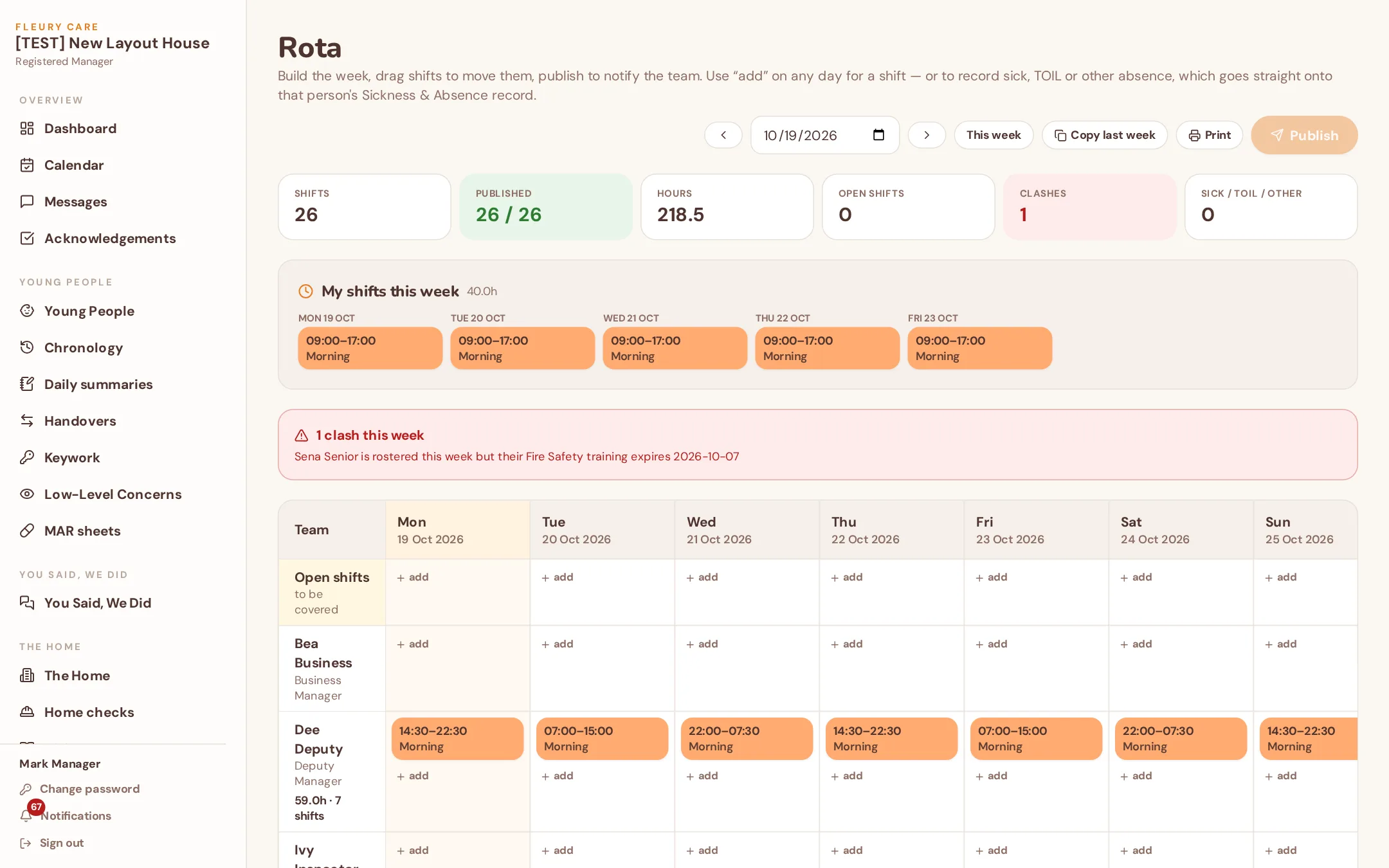
Build the week, publish to the team; lapsed and expiring certificates find you 60 days ahead and show up on the rota.
What's booked today pre-populates the daily summary and the handover, so nothing booked is forgotten and nothing is typed twice.
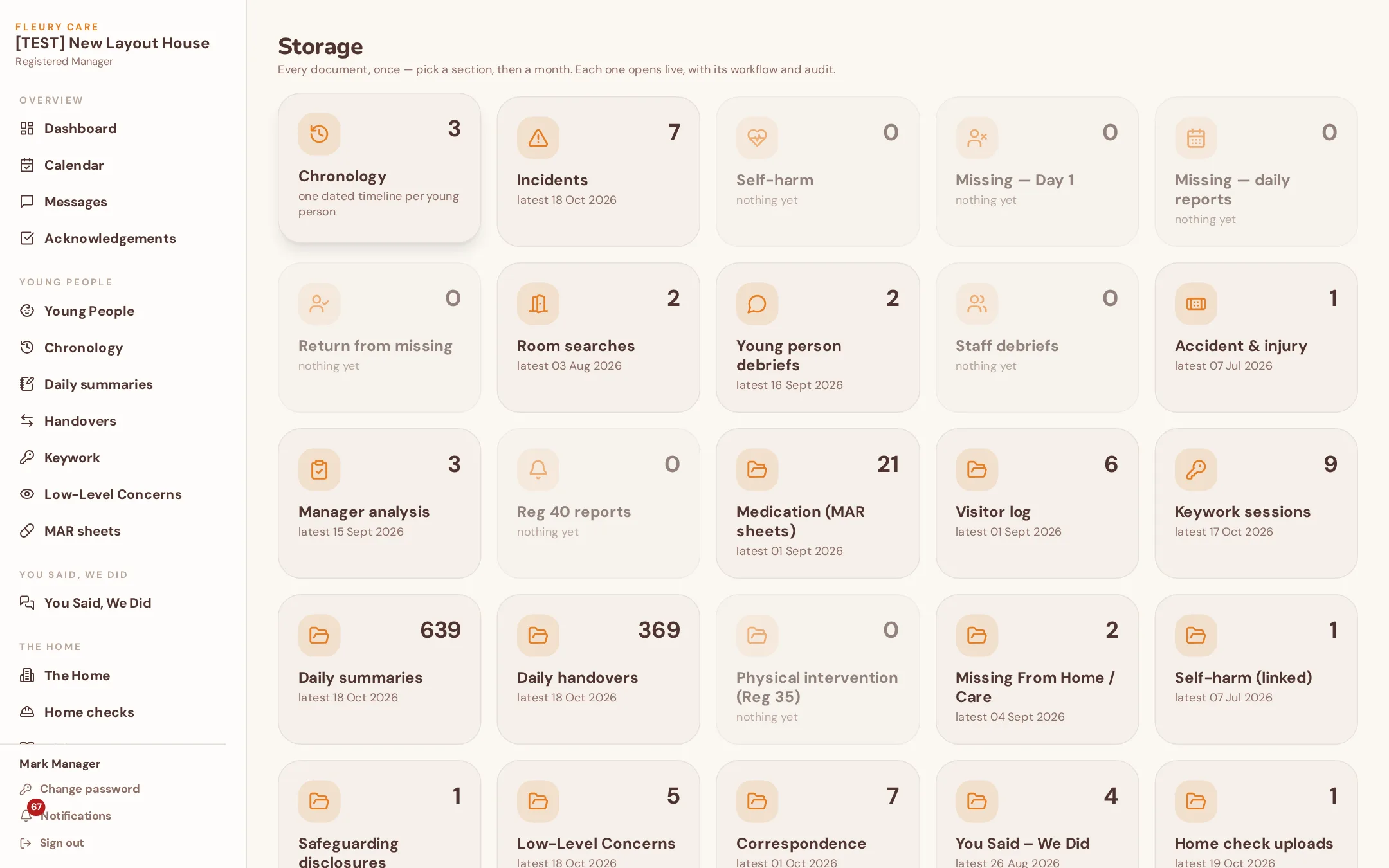
Pick a section, then a month. Every document once, with its author, sign-off, workflow and audit. Nothing is ever deleted; every version is kept.
A username and PIN, no email. Young people message their keyworker or the manager, check in with their mood, keep a diary, see their plans in their own words — and watch their own piggy bank. Managers see the check-ins and messages on their dashboard.
Managers and Deputies add money, record spends with a receipt or a note, move money between pots and set weekly pocket money that lands automatically. Every penny shows who, when and the balance after. Young people see their pots in My View.
A young person sets a goal — "Bike £120" — and watches the bar fill as their Savings pot grows.
Young people and managers message one another; staff messages by role (RM, Deputy, RI).
A quick daily check-in that managers see as a pattern, not a one-off.
Their own words and photos, feeding the live life story and the memory book.
The one-page profile and plans written for them, acknowledged by them.
Enforced on every request, not just hidden on screen.
The joining fee covers setting your home up individually; hosting is £350 a year. The fee is set by your home's registered beds — never per user, and no modules to unlock. All prices exclude VAT.
Covers hosting, backups, security and ongoing updates as regulations and the product change.
Each home's system is set up on its own, with its own logo. For 14 days after set-up, any set-up issue or bug is fixed free. Fleury Care System is one product for every home — we don't sell bespoke edits, which is what keeps it this price.
Every home gets Lite free, included in your subscription. 225 AI credits every month, reset on the 1st. No card needed.
225 credits buys about 45 quick summaries, or 22 weekly report summaries, or 5 monthly report summaries for a 4-child home.
When it runs out: AI pauses until the 1st. Everything else in the system keeps working. Upgrade to AI Plus or buy a top-up to carry on.
That's about 250 quick summaries, or 125 weekly report summaries, or 62 monthly report summaries for a 2-child home.
That's about 350 quick summaries, or 175 weekly report summaries, or 43 monthly report summaries for a 4-child home.
That's about 450 quick summaries, or 225 weekly report summaries, or 37 monthly report summaries for a 6-child home.
That's about 650 quick summaries, or 325 weekly report summaries, or 40 monthly report summaries for an 8-child home.
£10 for 200 credits — about 40 quick summaries, or 20 weekly report summaries, or 10 monthly report summaries for a 2-child home.
£20 for 500 credits — about 100 quick summaries, or 50 weekly report summaries, or 25 monthly report summaries for a 2-child home.
Top-ups last 12 months. AI Plus gives you more credits for your money.
Examples assume one feature at a time; monthly summaries depend on how many young people live in the home.
Use the form below. Say how many beds you have and anything you want to know.
A short call if you want one — or straight to set-up.
Your own home code, admin account, base forms, logo and branding.
Any set-up issue or bug in the first fortnight is fixed free.
Add staff, add young people, start recording. Updates arrive as regulations and the product change.
No sales team, no mailing list. Your message lands with the people who build and run Fleury Care System.